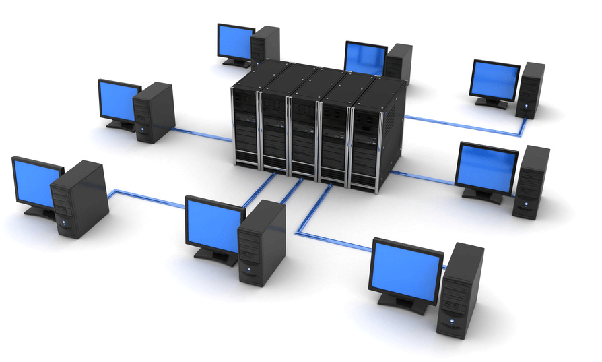
Modern communication depends on computer networks. From home Wi-Fi connections to global internet infrastructure, networks allow devices to exchange information quickly and securely. Understanding how networks are structured and how core devices like switches and routers function is fundamental for anyone working with IT systems or managing online services.
Key Points
- A computer network connects devices such as PCs, servers, routers, and switches to exchange data.
- Common network types include LAN, MAN, WAN, and WLAN, each defined by coverage area.
- Core network components include end devices, switches, routers, firewalls, and transmission media.
- Internetworking connects multiple networks using routers and IP addressing.
What Is a Computer Network?
A network is an assembly of interconnected devices (PCs, servers, mobile devices, routers, switches and so on) that can communicate (exchange information) with each other.
Types of Computer Networks
Computer networks are classified based on their geographic coverage, size, and method of connection. Understanding these categories helps determine how networks are designed and where they are typically used. Networks can be of several types:
- LAN or a Local Area Network, such as your home network connected through cable.
- MAN or a Metropolitan Area Network such as an extended network between computers on the surface of a city.
- WAN or the Wide Area Network such as the Internet.
- WLAN or a Wireless LAN such as your wireless network from your own home.
Each network type serves a different purpose, depending on scale, infrastructure, and connectivity requirements.
Main Components of a Network
Every computer network consists of several essential components that work together to enable communication, data transfer, and security. Each element plays a specific role in ensuring reliable and efficient connectivity. The main components of a network include:
- End-devices (PCs, laptops, smartphones, servers and so on)
- Switch – interconnects multiple end-devices in a network
- Router – interconnects multiple networks
- Firewall – protects a network from possible attacks from the Internet
- Transmission medium such as cable (copper), light (fiber optic) or wireless (air).
Together, these components form the foundation of modern network infrastructure, enabling secure and efficient communication between devices.
End Devices in a Network
In general, in a network most people are just the ones that have an end-device. Every person that has a Laptop, PC or smartphone with which it connects to the Internet is called an end-user. This connection can be made by 1 or more transmission media (UTP cable, light, air).
When we connect with a smartphone to the Internet, most likely we will use the wireless environment. If we use a Laptop, we can link it either by wireless or UTP. The fiber optic connection is generally used when we want to connect network equipment or servers to each other (e.g., switch – switch, server – switch ). The reason is simple: a fiber optic connection can be much faster than a UTP cable or a Wireless one.
What Is a Network Switch?
The switch is a piece of network equipment that interconnects multiple PCs (in general but not limited to printers, IP phones, APs and so on) to the same local area network (LAN). It is characterized by a large number of ports (generally 12 to 48) all capable of speeds between 100 Mbps and 1 Gbps (or even 10 Gbps). The switch uses MAC addresses to identify each end device.
What Is a Router?
A Router is a piece of network equipment that has the function of interconnecting multiple networks (LANs) into a more massive (WAN-Wide Area Network) network. The router is the device that connects most devices to the Internet. It handles packet delivery to the destination Internet network.
Compared with a Switch, the Router has far fewer ports (between 2 and 8) at similar speeds (100 Mbps up to 10Gbps, depending on the model).
To communicate, digital devices (PCs, routers, switches) must have a unique identifier on the Internet, called an IP (Internet Protocol address). An IP is a way to identify a unique device in a network, as there cannot be two devices with the same IP in a network.
What Is Internetworking?
Inter-networking techniques (inter-networking rather than the internet) connect two or more networks or network segments to each other using devices operating at the OSI system level 3, such as a router. Any interconnection between public, private, commercial, industrial or government networks can be called “internetworking.” In current practice, interconnected networks use the Internet Protocol (IP) level. There are three types of internetwork networks, depending on who is managing the network and who has access to them:
- intrane
- extranet
- Internet
Intranet and extranet networks may or may not have access to the Internet. If they are connected to the Internet, they must be protected against unauthorized access from the Internet. The Internet is not considered part of an intranet or extranet. However, it can serve as a way to access some portions of the extranets.
Why Understanding Network Basics Matters
Understanding the fundamental components of a computer network — including end devices, switches, routers, and transmission media — provides the foundation for building reliable and secure IT infrastructure. Whether managing a small office LAN or deploying large-scale WAN environments, knowing how these elements interact ensures better performance, scalability, and security.
If you’re planning to deploy applications or manage infrastructure in a professional hosting environment, explore our VPS Apps solutions designed to provide performance, flexibility, and full administrative control.


