Microsoft has outdid itself by adding native support to run a Linux system. This has a variety of cases, as you can now mix Windows and Linux apps on the same machine without the need to start a virtual machine.
The system is called Windows Subsystem for Linux and currently has support for the following distributions:
- Ubuntu 16.04 LTS
- Ubuntu 18.04 LTS
- Ubuntu 20.04 LTS
- openSUSE Leap 15.1
- SUSE Linux Enterprise Server 12 SP5
- SUSE Linux Enterprise Server 15 SP1
- Kali Linux
- Debian GNU/Linux
- Fedora Remix for WSL
- Pengwin
- Pengwin Enterprise
- Alpine WSL
To enable the Linux Subsystem, start by opening:
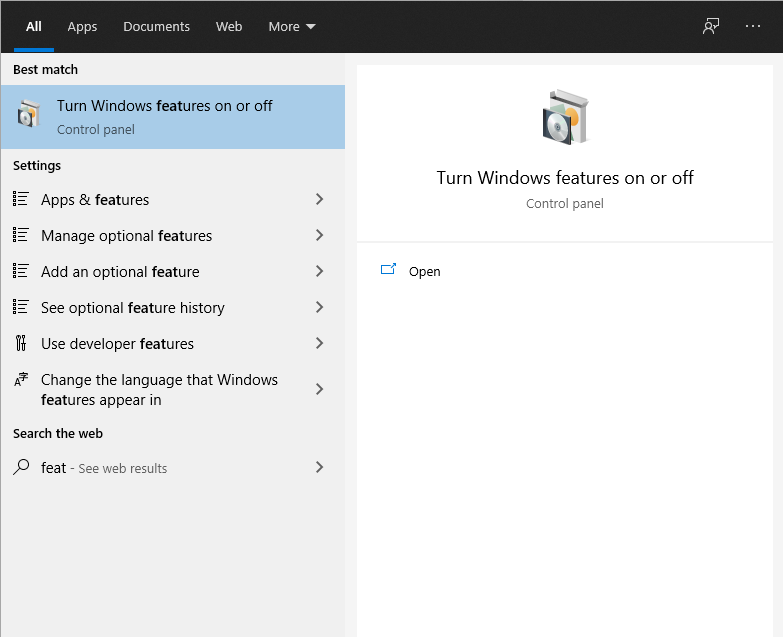
Check the checkbox with the Windows Subsystem for Linux
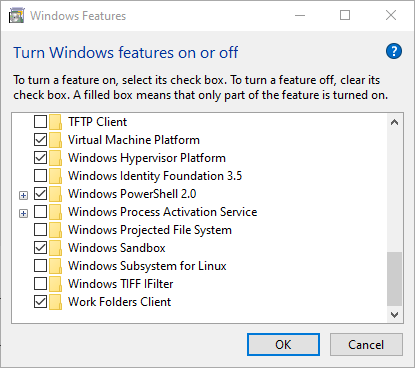
Click OK and wait for it to be installed. You’ll most likely be asked to reboot your computer in order for it to finish the installation.
Next, choose the Linux system you wish to add. I’ve selected Debian for this guide so we go to the Debian page in the Microsoft store and click Get
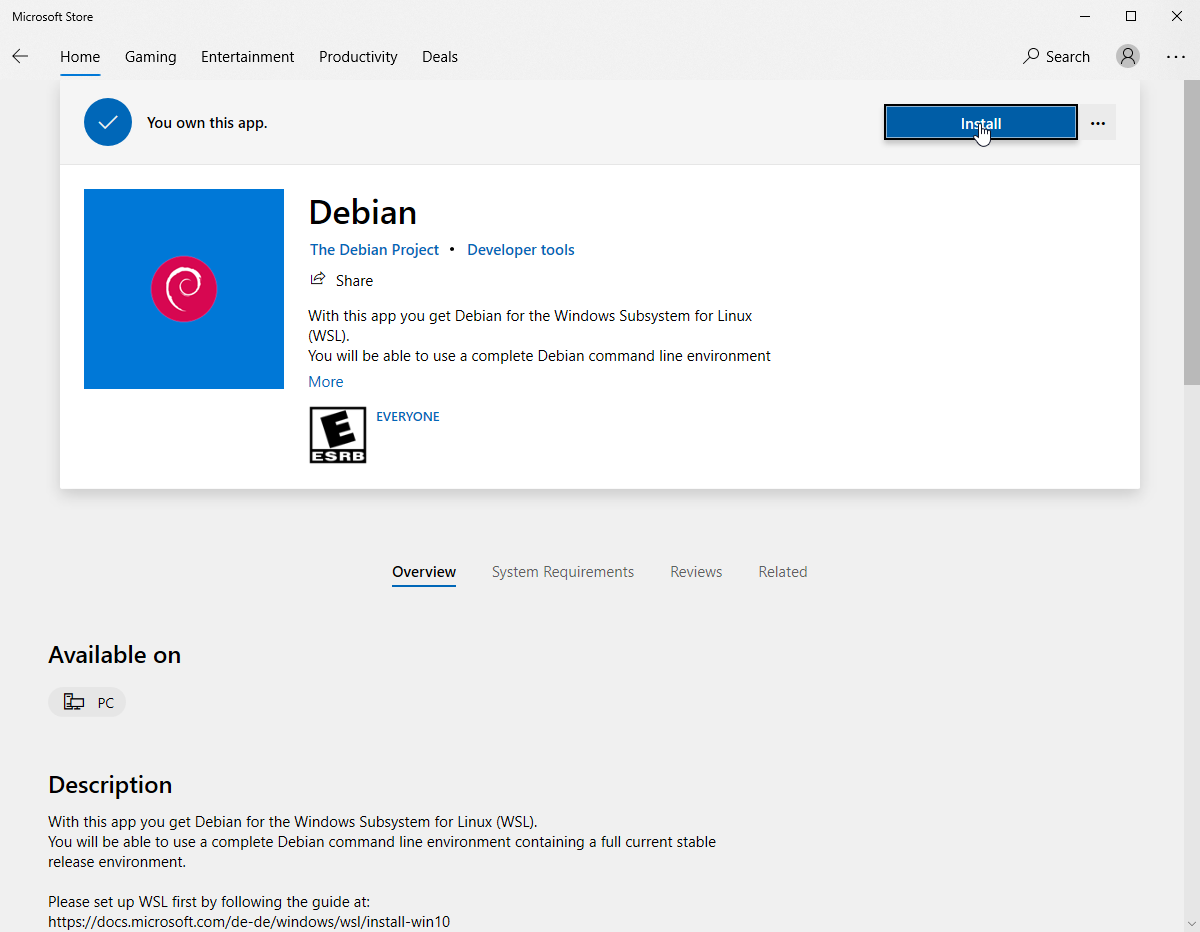
Wait for it to be installed, open a powershell terminal and run: debian
You’ll now be inside a fully working debian terminal
To access the Windows filesystem’s c:\, execute cd /Mnt/c
Don’t forget to keep your Debian updated with apt update && apt dist-upgrade


